Automatic transfer
Set up auto transfers to your Extra Saving or Saving Goals and save money without even thinking about it.
Earn money while you save.
Easily track your spending.
Enjoy fee transparency.
We take security seriously
Learn more
Set custom saving goals, take advantage of auto savings, and earn 3.50% APY on your Savings — all with no monthly fees.
Enter your email to get started with Spruce. See our Privacy Notice for how we collect and use your info.
Spruce fintech platform is built by H&R Block, which is not a bank. Bank products by Pathward®, N.A., Member FDIC.
Saving Surge Sweepstakes details can be found here.
All dollar amounts shown are for illustrative purposes only.
Unlike some competitors that require direct deposit to unlock a certain rate, Spruce Savings earns 3.50% APY — no direct deposit necessary.
*FDIC average national savings rate as of 05/18/2026 here.
**Comparison based on Chime Standard high-yield savings account as of 05/29/2026 on chime.com/savings/high-yield-savings-account. Chime is a registered trademark of Chime Financial, Inc.
From emergency funds to down payments, Spruce makes it easy to contribute to custom saving goals.
Set up auto transfers to your Extra Saving or Saving Goals and save money without even thinking about it.
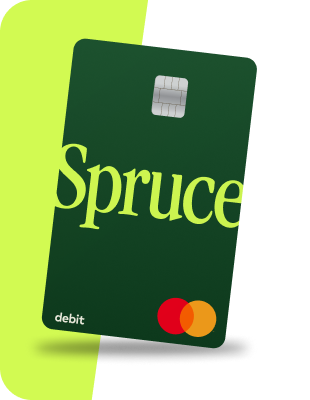
Opt in to automatically round up Spruce debit card purchases to the next dollar, and we’ll deposit the change into your Extra Saving.
Your accounts are FDIC insured up to $250,000 through Pathward®, N.A., Member FDIC.

Get your paycheck deposited into your Spending account up to 2 days early and watch your Spending and Saving accounts work together to grow your money.

Enter your email to get started with Spruce. See our Privacy Notice for how we collect and use your info.
All dollar amounts shown are for illustrative purposes only.
Visit the resource center for money tips and financial knowledge.
A savings account is a bank account separate from your checking or spending account that you can deposit money to hold onto for use for later.
With Spruce, you get an Extra Saving account where you can create automatic savings transfers and receive proceeds from Round Up.
Round Up is an easy, automatic way to increase your savings — with no extra effort required. When you turn Round Up on in your Spruce account, each time a Spruce debit card transaction for a purchase or ATM withdrawal settles, we’ll round the transaction up to the nearest whole dollar amount and transfer the difference into your Extra Saving account. Just think of it as saving in autopilot — super easy saving in small amounts that add up over time!
For example, when your grocery purchase with your debit card for $19.49 settles, we will transfer $.51 to your Extra Saving account.
Also, if you make an out-of-network ATM withdrawal, you may get a Round Up. For instance, if you make a $20 withdrawal, in addition to the out-of-network $3 fee, the ATM owner charges you $2.50, when the transaction settles, you’ll see a $.50 Round Up transfer to your Extra Saving.
Tip: You’ll know a transaction is settled when you see it in your transaction history, and it’s no longer listed as Pending.
To access your savings in the Spruce app, sign into your account and tap the Saving tab.
To access your savings from desktop, sign into your account and click the Saving tab.
To then withdraw money from your savings account, you will need to transfer it to your spending account.
Spruce fintech platform is built by H&R Block, which is not a bank. Spruce℠ Spending and Savings Accounts established at, and debit card issued by, Pathward®, N.A., Member FDIC, pursuant to license by Mastercard®. Mastercard and the circles design are registered trademarks of Mastercard International Incorporated.
Apple and the Apple Logo are registered trademarks of Apple Inc. Google Play and the Google Play logo are trademarks of Google LLC. Message and data rates may apply.